An in-house ID card printing system lets your own team design, print and encode staff, contractor and visitor cards on your premises, in minutes. If you issue cards regularly, or your cards open doors and record attendance, it is usually faster, easier to control and easier to keep secure than sending jobs to an outside printer. If you need a handful of cards a year, outsourcing can still be the sensible choice.
A few assumptions about cost, complexity and data tend to hold businesses back. This guide takes five of them one at a time, then shows how to work out whether the move makes sense for you and how to choose a printer.
What counts as an in-house ID card printing system?
It is the set of tools you need to produce cards yourself. In most workplaces that means four things:
- A card printer that prints a photo, name and branding onto blank plastic cards.
- Card design software with a cardholder database, so templates and records stay consistent.
- Blank cards and ribbons, plus laminate if cards need extra durability.
- Optionally, an encoder and readers, so the same card also works as an access or attendance credential.
Cards follow a shared physical standard. ISO/IEC 7810 defines four card sizes, and the ID-1 size (85.60 × 53.98 mm) is the one most ID and bank cards use. That common format is why one desktop printer can handle blank cards from different suppliers, as long as the card technology matches your readers.
Five myths about printing ID cards in-house
Myth 1: “Outsourcing is always cheaper”
The reality: outsourcing is cheaper per job when cards are rare. It stops being cheaper when issuing cards becomes routine. Per-card pricing, minimum orders, rush fees and delivery add up, and every lost card or name change is another order.
In-house printing swaps those recurring charges for equipment you own and predictable costs for cards and ribbons. Look beyond the purchase price, though. Ribbon yield (how many cards you get per ribbon) and the availability of support often matter more over the years. The break-even section below shows how to compare the two properly.
Myth 2: “Only large companies need their own printer”
The reality: volume and purpose matter more than headcount. A 40-person firm with a busy reception, rotating contractors and door readers can issue more cards than a 200-person company with a stable team.
Entry-level single-sided printers exist for smaller needs. For small budgets, Digifeat’s team usually starts the conversation with the IDP SMART-31, and moves up from there if you need two-sided printing or more durability.
Myth 3: “It needs a dedicated IT team”
The reality: setup is mostly about connection and software. A single PC can connect over USB. If several people at different desks need to print, choose a model with an Ethernet port, or Wi-Fi on newer models. If you work on Mac computers, confirm compatibility before you buy.
The main routine task is cleaning. Dust building up on the print head can cause white lines on printed cards, which is worth planning for in dusty or hot environments. Name one person as the printer owner, run the cleaning cycle on schedule and keep spare ribbons and cards on hand.
Myth 4: “A card is just a photo ID”
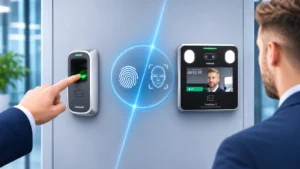
The reality: a card can also be a door key, an attendance record and a visitor pass. Printers with an encoding module can write magnetic stripe, proximity or smart-card data while they print, so one card can do several jobs.
That is why the printer should not be chosen in isolation. Decide how cards will be used with your access control system, your time and attendance devices and your smart card readers. A beautifully printed card that your readers cannot read is an expensive lesson.
Myth 5: “Data protection is the printer supplier’s problem”
The reality: a photo, a name and an ID number are personal data, and the organisation that decides what is collected and why is responsible for handling it. This applies whoever operates the printer.
The UAE’s federal framework is Federal Decree-Law No. 45 of 2021 on the Protection of Personal Data, in force since 2 January 2022. According to the UAE government portal, it sets general obligations to secure personal data and keep it confidential, restricts processing without the owner’s consent except in defined cases, lets people ask for inaccurate data to be corrected and sets requirements for transferring data abroad. Free zones with their own regimes, such as DIFC, have separate data protection laws, so check which rules apply to your entity.
Practical habits help whichever rules apply:
- Print only what the card needs. Think carefully before putting full ID numbers on a card that others will handle.
- Keep photo files in one controlled system rather than emailing them to a print shop or sharing them in chat groups.
- Limit who can edit records and who can print.
A company card does not replace an Emirates ID. That card is issued by the Federal Authority for Identity, Citizenship, Customs and Port Security (ICP), which gives each cardholder a unique identification number and a chip. This section is general information, so speak to a legal or compliance adviser about your own situation.
Has your business reached the tipping point?
Skip the guesswork and compare two annual totals: what you spend outsourcing, and what in-house printing would cost. The table shows what to count on each side.
| Cost to count | Outsourced | In-house |
|---|---|---|
| Cards | Cards issued × price per card | Cards issued × blank card price |
| Ribbons and laminate | Usually built into the price | Ribbon cost per card, plus laminate if used |
| Replacements and rush jobs | Reprint, urgent and delivery charges | Same as a normal card |
| Equipment | None | Printer and software, spread over its working life |
| Time | Chasing orders, waiting for approvals, delayed starts | A few minutes per card at HR or reception |
| Support | Not applicable | Service cover, cleaning kits, spare consumables |
Include replacement cards and visitor badges in your count. They are the figures people forget, and they are often what tips the balance.
As a quick check, an in-house system is probably worth a serious look if two or more of these are true:
- You onboard or offboard staff, contractors or members every month.
- Your cards open doors, gates or turnstiles, or feed attendance records.
- You issue visitor or temporary badges most days.
- You have ever delayed a start date or handed out a paper pass because cards were not ready.
Matching the printer to your situation
The right model depends on how many cards you print, how long they must last and what they need to do. This table gives a starting point.
| Your situation | Direction to consider | Why |
|---|---|---|
| Few cards a week, tight budget | Entry-level direct-to-card printer | Lowest cost. Digifeat’s team usually points small budgets to the IDP SMART-31. |
| Typical office with staff and visitors, printing on both sides | Dual-sided direct-to-card printer | Saves flipping cards by hand. For most offices, Digifeat’s usual recommendation is the IDP SMART-51. |
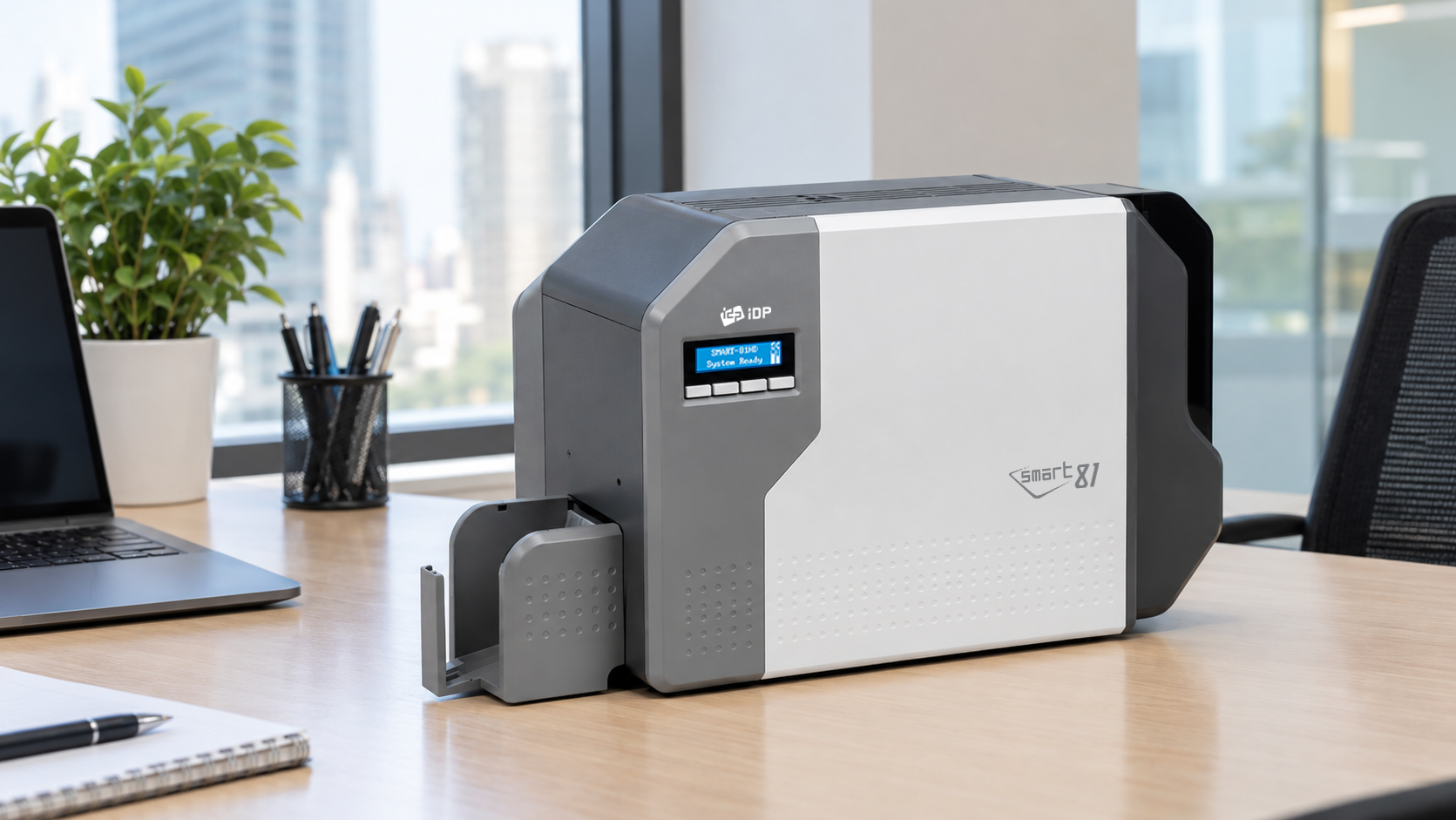
| Chip-based smart cards, edge-to-edge design, heavy daily use | Retransfer printer | Prints to a film bonded onto the card, for a full-bleed finish and better durability. Digifeat suggests the IDP SMART-81 in this case. |
| Cards swiped or handled all day | Add lamination | Laminate resists wear, and holographic overlaminates add visible security. |
| HR, reception and security all need to print | Network-connected model | Ethernet (or Wi-Fi on newer models) lets several desks share one printer. |
| Cards must open doors or record attendance | Printer with an encoding module | Match the card technology to your readers first, then choose the printer. |
The difference between the two print technologies is simple. Direct-to-card printers are faster and cheaper per card but can leave a thin unprinted border on the edge. Retransfer printers cost more and produce a cleaner, more durable card. Digifeat recommends retransfer where cards face heat and heavy handling.
Digifeat is an authorised distributor of IDP Smart ID card printers in the UAE and also supplies other brands, including HID Fargo and Zebra. Model lines change, so confirm current availability before you shortlist. You can see the full range on the ID card printers page or browse the IDP Smart range.
Setting up in five steps
- Decide what the card must do. Photo ID only, or also doors, attendance and visitor passes?
- Fix the card technology and readers first. Everything else depends on this choice.
- Choose the printer by volume, sides and finish. Use the table above as your shortlist filter.
- Standardise. Create one template for each group (staff, contractor, visitor), set photo rules and decide who can print.
- Pilot, then roll out. Test print quality and reader performance with one team, and stock spare ribbons and cards before you go live.
If visitors are a big part of your volume, the check-in desk is the best place to start. Digifeat’s visitor management solution is built around that moment.
Mistakes that cost the most
- Buying the printer before the card technology. Readers and cards must match.
- Judging on printer price alone. Ribbon cost per card, lamination and support add up over the years.
- Letting anyone print any card. Without permissions, the printer becomes a security gap.
- Skipping the lifecycle. Plan for expiry dates, returns and cancellations, not just first issue.
- Ignoring the cleaning cycle. It prevents white lines and costly print head replacements.
Frequently asked questions
Is it cheaper to print ID cards in-house or outsource them?
It depends on volume. Outsourcing has no equipment cost and suits rare, small runs. In-house printing needs an upfront investment but usually becomes more economical when you issue cards regularly or need replacements and visitor badges. Compare your annual outsourced spend against printer, card, ribbon and staff-time costs.
What do I need to start printing ID cards in-house?
A card printer, design software, blank cards and ribbons. If the cards will open doors or record attendance, add an encoder and compatible readers.
Can the same card open doors and record attendance?
Yes, if the card technology matches your readers. Printers with encoding modules can write magnetic stripe, proximity or smart-card data. Choose the readers and card type first, then the printer.
What is the difference between direct-to-card and retransfer printing?
Direct-to-card printing applies colour straight onto the card and is faster and cheaper, but it can leave a thin white border. Retransfer printing prints onto a film first, then bonds the film to the card, giving an edge-to-edge image and a more durable finish.
Do UAE data protection rules apply to ID card data?
A photo, name and ID number are personal data, so data protection rules are relevant. Federal Decree-Law No. 45 of 2021 is the main onshore framework, while free zones such as DIFC have their own laws. Check which regime covers your entity with a legal adviser.
Can I print visitor badges with the same printer?
Yes. A card printer can produce temporary badges for visitors and contractors alongside staff cards. Using a separate template or colour for each group makes them easy to tell apart.
Choosing a system that fits
The best in-house setup is the one that matches your volume, your card technology and your security needs, and nothing more. If you are comparing options, the Digifeat team in Dubai can help you shortlist printers, encoding options and compatible readers.
Explore the ID card printer range or contact Digifeat to talk through your requirements.